

@font-faceでGoogle FontsのNoto Sans JPを複数のweightで使用する場合
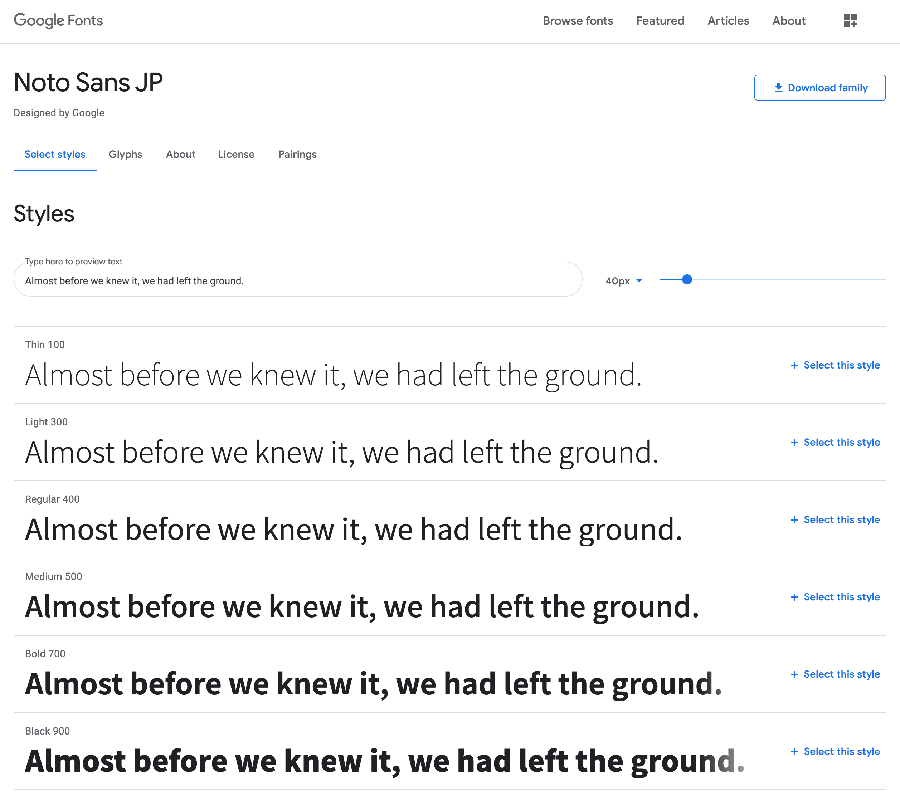
@font-faceでGoogle FontsのNoto Sans JPをfont-weight 100〜900で使用する場合のメモ。
目次
Google Fontsからデータをダウンロード
Google Fontsからデータをダウンロードし、サーバーにアップ。
CSSに@font-faceの記述を追加
/*==Noto Sans JP==*/
/*Thin*/
@font-face {
  font-family: 'Noto Sans JP';
  src: url('../font/Noto_Sans_JP/NotoSansJP-Thin.otf') format('opentype');
    font-weight: 100;
    font-style: normal;
}

/*Light*/
@font-face {
  font-family: 'Noto Sans JP';
  src: url('../font/Noto_Sans_JP/NotoSansJP-Light.otf') format('opentype');
    font-weight: 300;
    font-style: normal;
}

/*Regular*/
@font-face {
  font-family: 'Noto Sans JP';
  src: url('../font/Noto_Sans_JP/NotoSansJP-Regular.otf') format('opentype');
    font-weight: 400;
    font-style: normal;
}

/*Midium*/
@font-face {
  font-family: 'Noto Sans JP';
  src: url('../font/Noto_Sans_JP/NotoSansJP-Medium.otf') format('opentype');
    font-weight: 500;
    font-style: normal;
}

/*Bold*/
@font-face {
  font-family: 'Noto Sans JP';
  src: url('../font/Noto_Sans_JP/NotoSansJP-Bold.otf') format('opentype');
    font-weight: 700;
    font-style: normal;
}

/*Black*/
@font-face {
  font-family: 'Noto Sans JP';
  src: url('../font/Noto_Sans_JP/NotoSansJP-Black.otf') format('opentype');
    font-weight: 900;
    font-style: normal;
}
ファイル名やformatの設定ミスに注意
該当のfont-familyに追加
font-family: Noto Sans JP,'ヒラギノ角ゴ Pro W3','Hiragino Kaku Gothic Pro','メイリオ','Meiryo',sans-serif;